

Introduction
Trading has evolved dramatically over the past decade. What once required constant monitoring of charts and late-night market analysis can now be partially automated. Tools designed to connect trading strategies with brokerage accounts are popping up everywhere, and traders are understandably curious. Among these tools, TradersPost has been gaining serious attention.
- Introduction
- What Is TradersPost?
- How TradersPost Works
- Key Features Highlighted in This TradersPost Review
- Automated Trade Execution
- Broker Integrations
- Strategy Automation
- Risk Management Tools
- Webhook Integration
- Benefits of Using TradersPost
- Pros of TradersPost
- Possible Limitations to Consider
- TradersPost Review: Pricing and Plans
- Who Should Use TradersPost?
- Tips for Getting Started With TradersPost
- FAQs
- What is TradersPost used for?
- Is TradersPost suitable for beginners?
- Does TradersPost connect with multiple brokers?
- Can TradersPost guarantee profitable trades?
- Is automation safe for trading?
- Conclusion
So what’s the deal with it? Is it a game-changer or just another trading tool trying to ride the automation wave? In this traderspost review, we’ll take a closer look at how the platform works, what makes it appealing, and where it might fall short. Think of it as a friendly walkthrough rather than a complicated technical breakdown.
By the time you finish reading, you’ll have a clearer understanding of whether TradersPost fits your trading style or whether you should keep exploring other automation options.
What Is TradersPost?
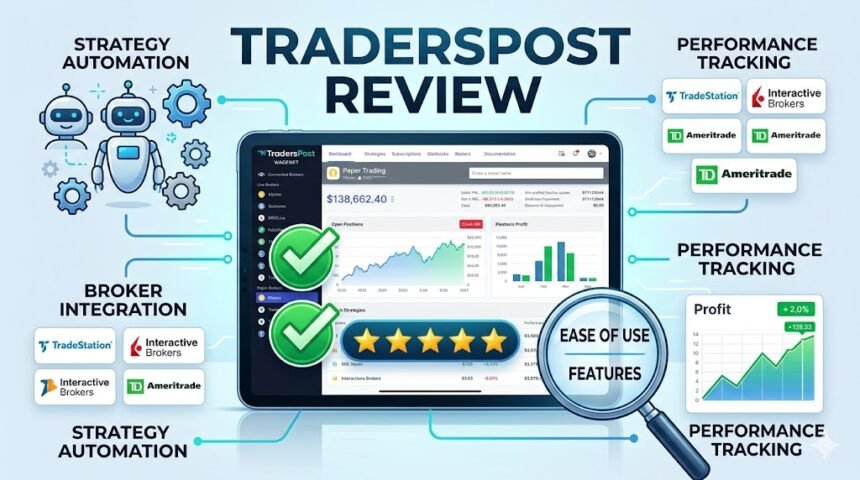
TradersPost is an automated trading platform designed to connect trading signals with brokerage accounts. Instead of manually placing trades every time a strategy triggers a signal, TradersPost allows those signals to execute automatically. That means less screen time and more efficiency for traders who rely on technical strategies.
In simple terms, TradersPost acts as a bridge. It links charting platforms or signal providers to brokerage accounts so that trades can happen automatically. For traders who already use tools like strategy alerts or custom indicators, this connection can save a lot of time and reduce emotional decision-making during market volatility.
How TradersPost Works
Understanding the workflow of TradersPost is easier than it might seem. The platform focuses on automation and integration, allowing users to connect multiple trading tools into one streamlined process.
When a trading signal is generated from a charting platform or strategy alert, TradersPost receives the signal through a webhook or integration. The platform then translates that signal into a trade and sends it to the connected brokerage account. Everything happens within seconds, making the process both fast and reliable.
Because of this system, traders can automate strategies they already trust. Instead of reacting manually, the platform executes trades based on predefined rules. That level of consistency can be extremely valuable for disciplined trading.
Key Features Highlighted in This TradersPost Review
| Feature | Description | Benefit |
|---|---|---|
| Automated Trade Execution | Converts trading signals into real trades automatically | Saves time and removes emotional decision-making |
| Broker Integrations | Connects with multiple brokerage platforms | Flexible trading environment |
| Strategy Automation | Allows users to automate custom strategies | Consistency in trade execution |
| Risk Management Tools | Includes position sizing and order controls | Better capital protection |
| Webhook Integration | Connects alerts from charting platforms | Real-time automation |
Automated Trade Execution
One of the standout features of TradersPost is automated execution. Once your strategy sends a signal, the platform takes over and places the trade automatically. This eliminates hesitation and helps traders stick to their systems.
Broker Integrations
TradersPost supports integrations with several popular brokerage platforms. This compatibility allows traders to maintain their existing accounts while adding automation capabilities.
Strategy Automation
Users can automate strategies based on alerts from charting tools. If a technical indicator signals a buy or sell opportunity, TradersPost can instantly execute the order.
Risk Management Tools
Risk management features help control position sizes and order types. These settings ensure that automated trades remain aligned with the trader’s risk tolerance.
Webhook Integration
Webhook technology allows trading alerts from platforms like charting software to trigger automated trades. This creates a seamless link between analysis and execution.
Benefits of Using TradersPost
Automation tools are becoming more popular in trading, and it’s easy to see why. Platforms like TradersPost aim to simplify the trading process while maintaining strategy discipline.
First, automation reduces emotional decision-making. Many traders struggle with hesitation or overconfidence when markets move quickly. By automating trade execution, traders can follow their strategies without second-guessing every signal.
Second, TradersPost improves efficiency. Instead of sitting in front of charts all day waiting for alerts, traders can allow the system to execute trades automatically. This can be especially useful for those balancing trading with other professional or personal responsibilities.
Pros of TradersPost
Before deciding whether to use the platform, it’s helpful to look at its advantages. Many traders appreciate the convenience and flexibility offered by automated trading tools.
-
Automation saves time and reduces manual trading tasks
- Supports integrations with multiple brokers
- Allows traders to use their own strategies
- Helps maintain discipline by following predefined rules
- Provides tools for risk management and trade control
These strengths make the platform appealing for traders who rely on technical strategies and alerts.
Possible Limitations to Consider
No trading tool is perfect, and TradersPost also has a few potential drawbacks. Understanding these limitations can help traders make more informed decisions.
- Automation still requires well-tested trading strategies
- Some broker integrations may be limited depending on region
- New users may need time to learn webhook integrations
- Subscription costs may not suit casual traders
These challenges do not necessarily make the platform ineffective, but they highlight areas where traders should proceed carefully.
TradersPost Review: Pricing and Plans
Pricing is always an important factor when evaluating trading platforms. TradersPost offers subscription plans that vary depending on features and automation capabilities.
Typically, the plans are designed to scale with the trader’s needs. Beginners might start with a lower tier, while advanced traders may choose plans offering more integrations or automation capacity. The flexibility allows users to experiment before committing to a higher-level subscription.
Another advantage is that traders can evaluate whether automation improves their trading results before investing heavily in the platform. That trial-and-error approach often helps traders decide whether the platform fits their workflow.
Who Should Use TradersPost?
Not every trader needs automation, but for certain users, it can be incredibly useful. TradersPost tends to appeal most to traders who rely on strategy alerts and systematic trading methods.
For example, technical traders who use chart-based signals may find TradersPost extremely helpful. Instead of manually executing each trade, they can allow the platform to handle execution automatically.
Swing traders and algorithmic strategy users may also benefit. These traders often rely on predefined rules and signals rather than discretionary decisions, making automation a natural fit for their trading style.
Tips for Getting Started With TradersPost
If you’re considering trying the platform, a few practical tips can help you get started smoothly.
- Test your trading strategy thoroughly before automating it
- Start with small position sizes to reduce risk
- Use demo environments or paper trading when available
- Monitor automated trades regularly during the first few weeks
These steps help traders build confidence while ensuring their strategies function correctly in an automated environment.
FAQs
What is TradersPost used for?
TradersPost is used to automate trade execution by connecting trading signals from charting platforms to brokerage accounts.
Is TradersPost suitable for beginners?
It can be used by beginners, but some familiarity with trading strategies and signal alerts is helpful before automating trades.
Does TradersPost connect with multiple brokers?
Yes, the platform integrates with several brokerage accounts to allow automated trade execution.
Can TradersPost guarantee profitable trades?
No trading platform can guarantee profits. Success depends on the effectiveness of the trading strategy being automated.
Is automation safe for trading?
Automation can be useful, but traders should carefully test strategies and risk settings before allowing trades to execute automatically.
Conclusion
This traderspost review highlights a platform designed to simplify and automate trading strategies. By connecting trading signals with brokerage accounts, TradersPost removes much of the manual work involved in executing trades. For disciplined traders who rely on technical strategies, this automation can save time and improve consistency. However, automation works best when paired with well-tested strategies and responsible risk management. While it may not suit every trading style, TradersPost offers a powerful tool for traders seeking efficiency and structured execution.